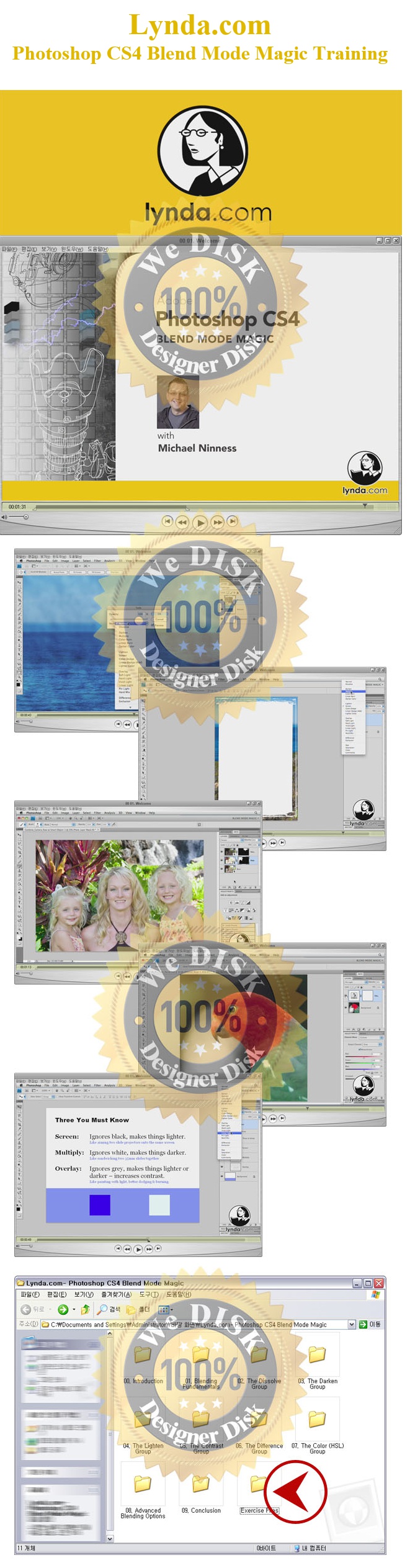
[Ps] Photoshop CS4 Blend Mode Magic - Lynda.com 동영상강좌
- 파일.폴더
- ico[Ps] Photoshop CS4 Blend Mode Magic - Lynda.com 동영상강좌
| 파일명 | 용량 | 확장자 | 재생시간 | 해상도 |
|---|---|---|---|---|
| 00 01. Welcome.mov | 24.5 M | MOV | - | - |
| 00 02. Using the exercise files.mov | 1.1 M | MOV | - | - |
| 0001.jpg | 467 K | JPG | - | - |
| 01 01. The three kinds of blending in Photoshop.mov | 2 M | MOV | - | - |
| 01 02. Blend modes, blend modes, everywhere.mov | 6.2 M | MOV | - | - |
| 01 03. Cycling through the blending modes.mov | 3.1 M | MOV | - | - |
| 01 04. Three blending modes you must know.mov | 3.7 M | MOV | - | - |
| 01 05. Blending mode keyboard shortcuts.mov | 7.8 M | MOV | - | - |
| 02 01. Roughening or pointilizing edges with Dissolve.mov | 4.9 M | MOV | - | - |
| 03 01. Removing halos with Darken.mov | 5.2 M | MOV | - | - |
| 03 02. Bringing down hot highlights with Multiply.mov | 9.7 M | MOV | - | - |
| 03 03. Tonal correction with Screen and Multiply.mov | 3.4 M | MOV | - | - |
| 03 04. Combining adjustment layers with blending modes.mov | 4 M | MOV | - | - |
| 03 05. Creating a composite from a single Camera Raw file.mov | 17.6 M | MOV | - | - |
| 03 06. Creating a cast shadow with Multiply.mov | 4.7 M | MOV | - | - |
| 03 07. Creating artistic edges with Multiply and Screen.mov | 3.4 M | MOV | - | - |
| 03 08. From iPhone to Photoshop - Colorizing line art with Multiply.mov | 6.4 M | MOV | - | - |
| 04 01. Removing dust spots with Lighten.mov | 2.3 M | MOV | - | - |
| 04 02. Adding lightning to a sky with Screen.mov | 5.3 M | MOV | - | - |
| 04 03. Adding a lens flare effect with Screen.mov | 3.9 M | MOV | - | - |
| 04 04. Reducing halos when sharpening with Lighten.mov | 8.7 M | MOV | - | - |
| 04 05. Creating a faint soft-edged line drawing with Linear Dodge.mov | 5 M | MOV | - | - |
| 05 01. Using Dodge and Burn with Overlay.mov | 17.9 M | MOV | - | - |
| 05 02. Reducing wrinkles with Overlay.mov | 19.6 M | MOV | - | - |
| 05 03. Using graduated neutral density filters with Overlay.mov | 5.6 M | MOV | - | - |
| 05 04. Custom vignettes with Overlay.mov | 3.9 M | MOV | - | - |
| 05 05. High-Pass sharpening with Overlay.mov | 12.3 M | MOV | - | - |
| 05 06. Smoothing skin with High-Pass sharpening and Overlay.mov | 18.8 M | MOV | - | - |
| 05 07. Textured patterns with Overlay.mov | 9.3 M | MOV | - | - |
| 05 08. Textured type with Overlay.mov | 3.7 M | MOV | - | - |
| 05 09. Creating a dramatic diffused glow with Overlay.mov | 3.3 M | MOV | - | - |
| 05 10. Creating a subtle glow with Soft Light.mov | 3.9 M | MOV | - | - |
| 05 11. Creating a medium glow with Soft Light.mov | 8.2 M | MOV | - | - |
| 05 12. Simulating film grain with Add Noise and Soft Light.mov | 7.4 M | MOV | - | - |
| 05 13. Recovering detail in over-saturated areas with Pin Light.mov | 9.7 M | MOV | - | - |
| 05 14. Creating 80's pop art with Hard Mix and Multiply.mov | 4.3 M | MOV | - | - |
| 06 01. Aligning layers with Difference.mov | 11.4 M | MOV | - | - |
| 07 01. Reducing color noise with Color.mov | 4.4 M | MOV | - | - |
| 07 02. Avoiding false saturation with Luminosity.mov | 11.6 M | MOV | - | - |
| 07 03. Recovering detail in blown-out highlights with Luminosity.mov | 15.6 M | MOV | - | - |
| 09 01. Goodbye.mov | 765.4 K | MOV | - | - |
| Ex_Files_PSCS4_BlndMagic.zip | 777.2 M | ZIP | - | - |
파일캐스트는 언제어디서나 모바일로 실시간 감상이 가능합니다.