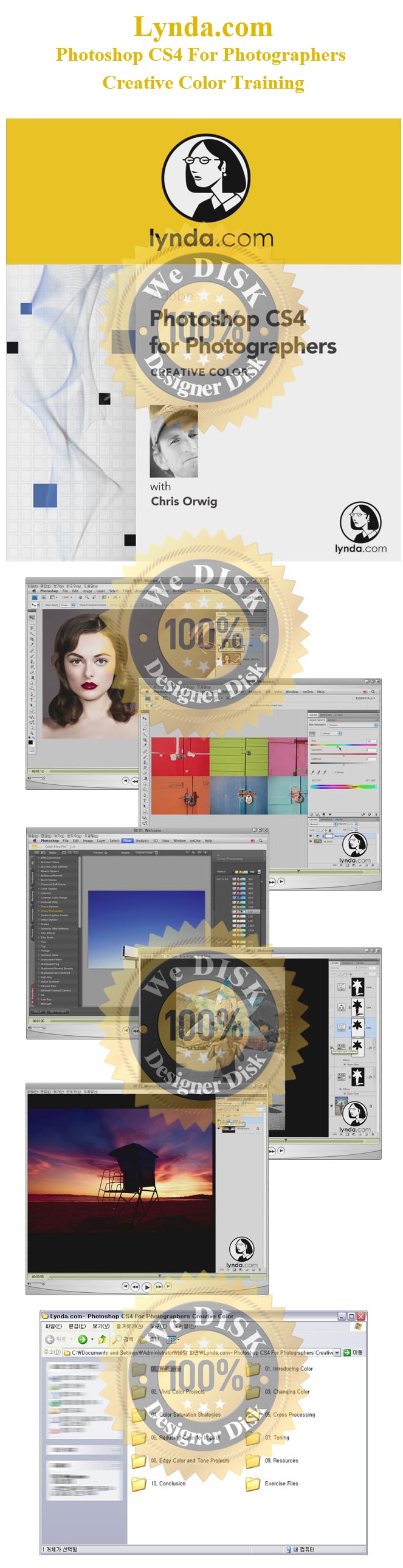
[Ps] Photoshop CS4 Creative Color - Lynda.com 동영상강좌
- 파일.폴더
- ico[Ps] Photoshop CS4 Creative Color - Lynda.com 동영상강좌
| 파일명 | 용량 | 확장자 | 재생시간 | 해상도 |
|---|---|---|---|---|
| 00 01. Welcome.mov | 24.5 M | MOV | - | - |
| 00 02. Learning strategies.mov | 2.2 M | MOV | - | - |
| 00 03. Using the exercise files.mov | 689 K | MOV | - | - |
| 0001.jpg | 434.1 K | JPG | - | - |
| 01 01. The effect of color.mov | 1.2 M | MOV | - | - |
| 01 02. Why color matters.mov | 2.3 M | MOV | - | - |
| 01 03. Understanding color adaptation.mov | 2.1 M | MOV | - | - |
| 01 04. Understanding color relationships.mov | 2.4 M | MOV | - | - |
| 01 05. Introducing Adobe Kuler.mov | 5.9 M | MOV | - | - |
| 02 01. Adjusting color and tone in a sunset portrait.mov | 6.8 M | MOV | - | - |
| 02 02. Enhancing sunset colors pt. 1 Curves.mov | 7.2 M | MOV | - | - |
| 02 03. Enhancing sunset colors pt. 2 Color Balance.mov | 7.4 M | MOV | - | - |
| 02 04. Jellyfish pt. 1 Adjusting composition and color.mov | 4.9 M | MOV | - | - |
| 02 05. Jellyfish pt. 2 Working with lighting effects and opacity.mov | 4.6 M | MOV | - | - |
| 02 06. Jellyfish pt. 3 Integrating tone, color, and creativity.mov | 11.4 M | MOV | - | - |
| 02 07. Night photography pt. 1 Brightening and contrast.mov | 11.6 M | MOV | - | - |
| 02 08. Night photography pt. 2 Vibrance, hue, and saturation.mov | 12.8 M | MOV | - | - |
| 02 09. Fishermans rope Color and Contrast.mov | 9.5 M | MOV | - | - |
| 02 10. Fisherman's floats Subtle color with curves.mov | 8 M | MOV | - | - |
| 02 11. Wind tunnel Masking using the Color Range command.mov | 4.8 M | MOV | - | - |
| 02 12. Old desert sign Quick color adjustments.mov | 8.9 M | MOV | - | - |
| 02 13. Old neon sign Creating impact.mov | 3.7 M | MOV | - | - |
| 02 14. Artist's chalk Enhancing vivid colors.mov | 7.2 M | MOV | - | - |
| 02 15. Strawberry ice cream Making subtle color enhancements.mov | 4.2 M | MOV | - | - |
| 02 16. Hallways Combining images with creative color.mov | 7.2 M | MOV | - | - |
| 02 17. Santa Barbara Harbor Adding color to grayscale images.mov | 7.1 M | MOV | - | - |
| 03 01. Deconstructing Hue Saturation.mov | 5.8 M | MOV | - | - |
| 03 02. Using Hue Saturation to change color.mov | 2.3 M | MOV | - | - |
| 03 03. Adding accent color.mov | 2.2 M | MOV | - | - |
| 03 04. Changing color with Quick Mask mode and Hue Saturation.mov | 4.2 M | MOV | - | - |
| 03 05. Replacing color with the Replace Color tool.mov | 3 M | MOV | - | - |
| 03 06. Replacing and modifying color.mov | 11 M | MOV | - | - |
| 03 07. Changing the color of an old fishing boat.mov | 15.5 M | MOV | - | - |
| 03 08. Enhancing and changing eye color.mov | 5 M | MOV | - | - |
| 03 09. Changing makeup color in a fashion portrait.mov | 2.3 M | MOV | - | - |
| 04 01. Deconstructing color saturation with Levels and Curves.mov | 6.3 M | MOV | - | - |
| 04 02. Adjusting vibrance and saturation.mov | 4.4 M | MOV | - | - |
| 04 03. Using Hue Saturation.mov | 8.7 M | MOV | - | - |
| 04 04. Using the Selective Color command.mov | 3.1 M | MOV | - | - |
| 04 05. Using Hue Saturation and Curves to understand relative color.mov | 9.3 M | MOV | - | - |
| 04 06. Increasing color saturation and variety with Lab.mov | 9 M | MOV | - | - |
| 04 07. Getting creative with Lab.mov | 6.3 M | MOV | - | - |
| 05 01. Using Color Balance to cross process.mov | 11.6 M | MOV | - | - |
| 05 02. Using Curves RGB channels to cross process.mov | 5.9 M | MOV | - | - |
| 05 03. Introducing Curves presets.mov | 2.5 M | MOV | - | - |
| 05 04. Using Curves presets to cross process.mov | 4.1 M | MOV | - | - |
| 05 05. Cross processing black-and-white photos.mov | 4.9 M | MOV | - | - |
| 05 06. Integrating cross processing into a creative workflow.mov | 9.5 M | MOV | - | - |
| 05 07. Using plug-ins to create a cross process effect.mov | 4 M | MOV | - | - |
| 06 01. Removing color to create impact.mov | 4.8 M | MOV | - | - |
| 06 02. Creative color reduction using Color Balance, Curves, and masking.mov | 12.8 M | MOV | - | - |
| 06 03. reative color reduction using Hue Saturation, Curves, and masking.mov | 19.1 M | MOV | - | - |
| 06 04. Multi-image project Removing and adding color and creating a layout.mov | 15.8 M | MOV | - | - |
| 08 01. Model portrait Creating a muted color and contrast effect.mov | 6.7 M | MOV | - | - |
| 08 02. Autumn leaves portrait Muted color and tone made simple.mov | 6.1 M | MOV | - | - |
| 08 03. Rock-star style Putting it all together to create edgy color and tone.mov | 13.8 M | MOV | - | - |
| 08 04. Tower Bridge Enhancing color and tone.mov | 4.3 M | MOV | - | - |
| 08 05. Concrete wall pt. 1 Adding color.mov | 4.2 M | MOV | - | - |
| 08 06. Concrete wall pt. 2 Finding and installing custom fonts and brushes.mov | 5.2 M | MOV | - | - |
| 08 07. Concrete wall pt. 3 Working with type.mov | 5.2 M | MOV | - | - |
| 08 08. Concrete wall pt. 4 Using custom brushes.mov | 8 M | MOV | - | - |
| 09 01. Introducing plug-ins by Nik, onOne, and Alien Skin.mov | 436.2 K | MOV | - | - |
| 09 02. Using onOne plug-ins.mov | 8.8 M | MOV | - | - |
| 09 03. Using Alien Skin plug-ins.mov | 4.3 M | MOV | - | - |
| 09 04. Using Nik plug-ins.mov | 4.8 M | MOV | - | - |
| 09 05. Links for the color curious.mov | 4.7 M | MOV | - | - |
| 10 01. Goodbye.mov | 13.8 M | MOV | - | - |
| exercise_files.zip | 170.4 M | ZIP | - | - |
파일캐스트는 언제어디서나 모바일로 실시간 감상이 가능합니다.